
Depreciation in your accounts isn't tax-deductible — capital allowances replace it. You disallow the depreciation charge in the P&L section, then claim allowances on what the company actually spent, in the Assets section of Corp Tax Calculations.
Choose your pools
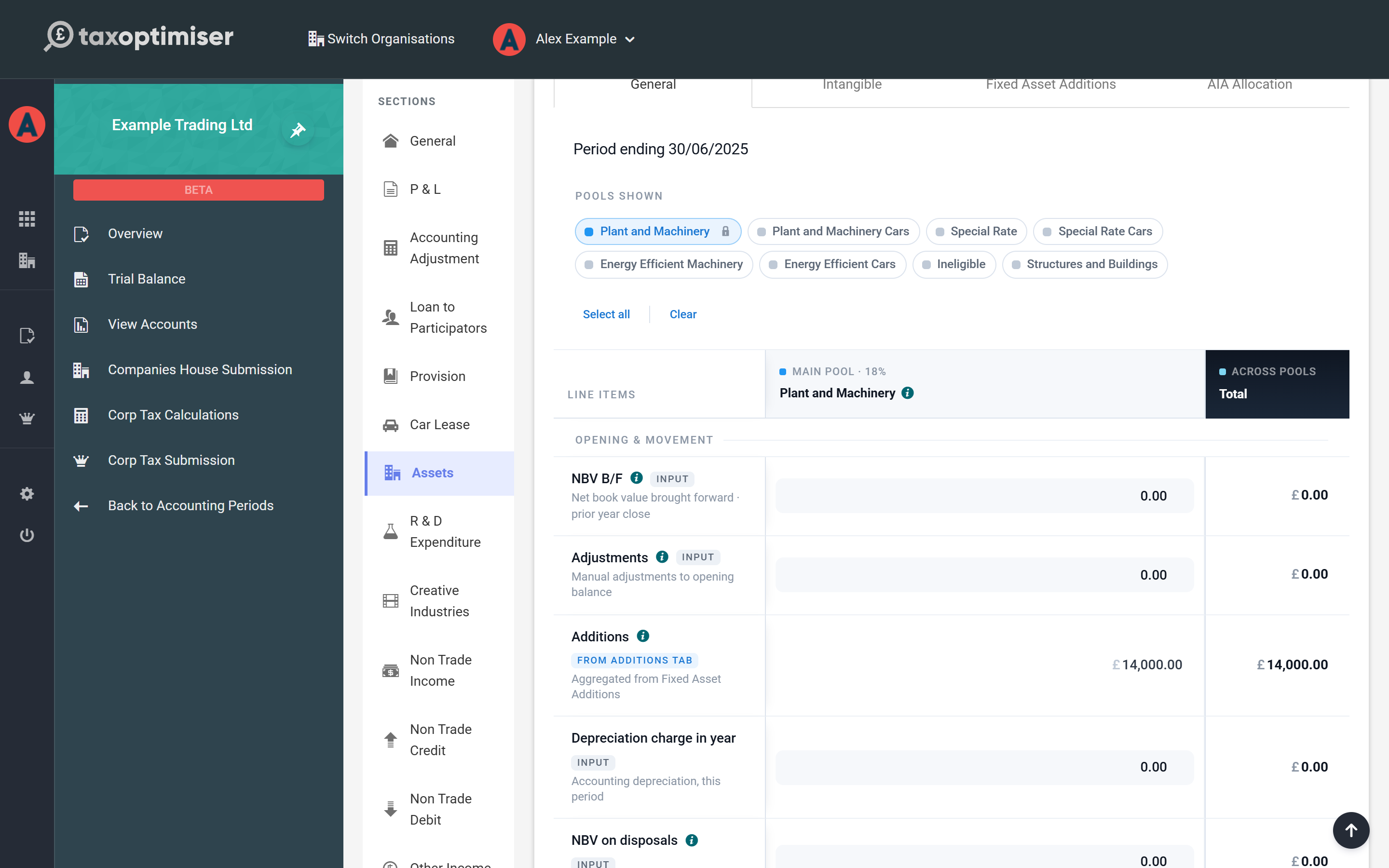
The General tab is the allowance computation itself, organised by pool. Switch on the pools you need — Plant and Machinery covers most equipment; Special Rate is for integral building features and higher-emission cars; there are also pools for energy-efficient machinery and cars, structures and buildings, and ineligible assets. Each selected pool gets a column showing opening balances, additions, disposals, allowances and the carried-forward written-down value.
Record what you bought
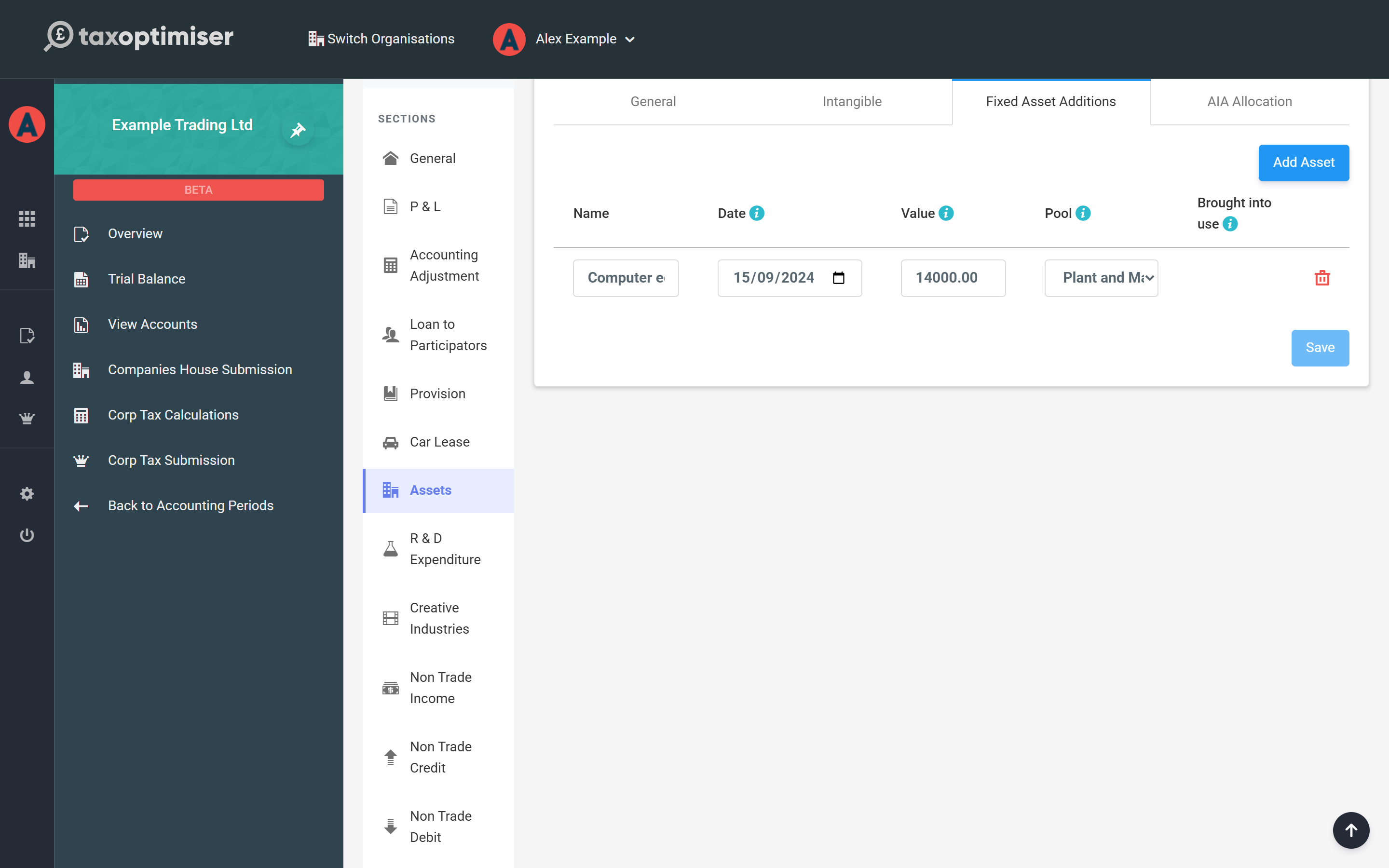
On the Fixed Asset Additions tab, click Add Asset and record each purchase: name, date, cost, which pool it belongs to, and whether it was brought into use in the period. The dated list matters — allowance entitlement follows the date the expenditure was incurred, and the additions aggregate automatically into the pool computation on the General tab.
Allocate the Annual Investment Allowance
The AIA Allocation tab shows your AIA entitlement for the period (£1,000,000 a year, apportioned for short or long periods) alongside your plant-and-machinery and special-rate expenditure. Enter how much of each you're claiming as AIA — usually the full amount up to the limit, which gives 100% relief in year one. Anything not covered by AIA stays in the pool for writing-down allowances instead. If you have both main-rate and special-rate spend, allocate AIA to the special-rate pool first — its writing-down rate is lower, so AIA is worth more there.
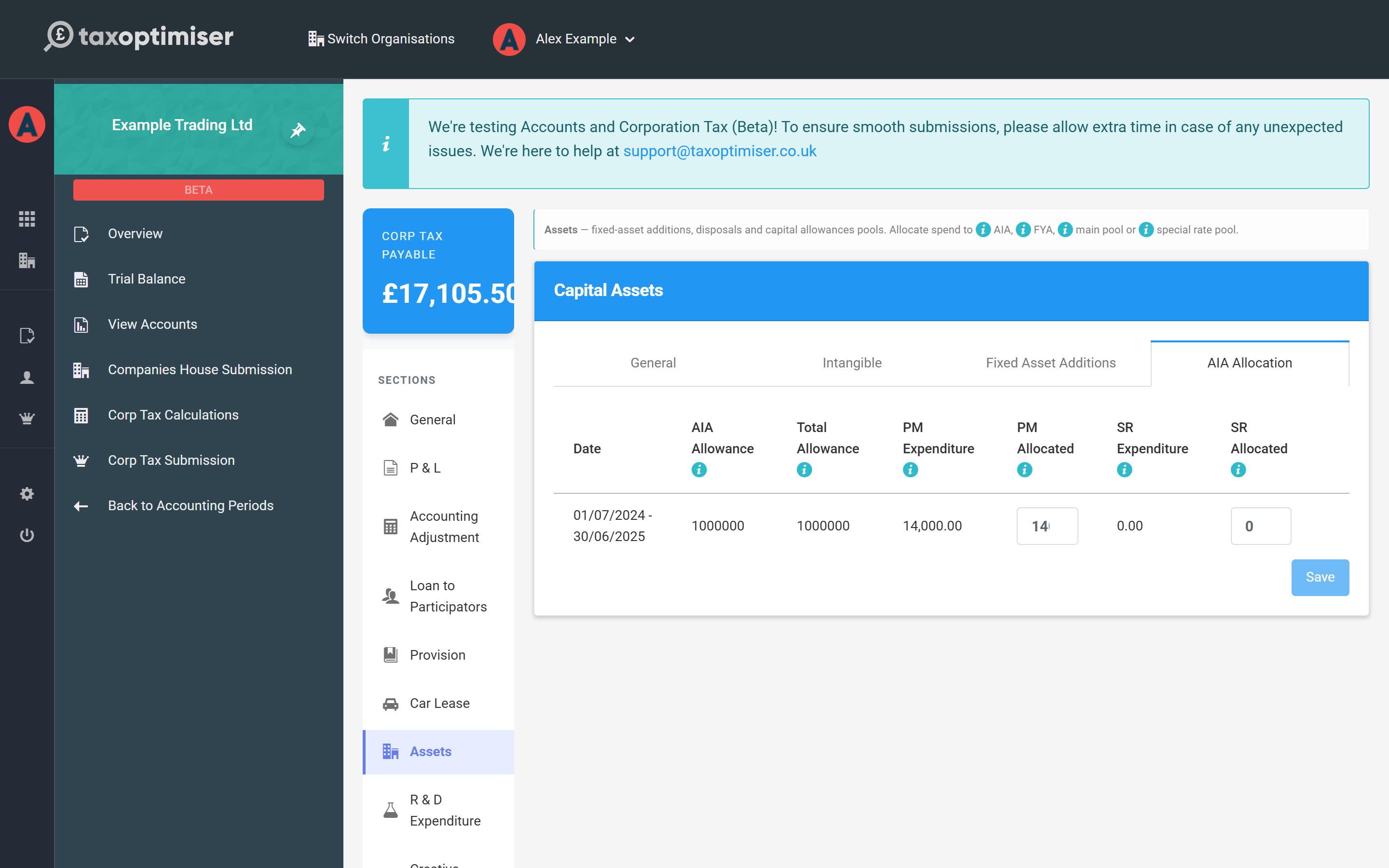
A group of companies shares a single AIA. If the company is in a group, enter the annual amount allocated to it in Group AIA share at the top of the tab; the entitlement for each date range is then worked out from that share instead of the full £1,000,000.
Brought-forward pools
Enter last period's closing written-down values in Write down allowance B/F on the General tab. When the organisation has an earlier saved computation, the tab shows the main pool and special rate pool it carried forward — click Use as written down allowance B/F to copy them in. At the foot of the General tab, Tax pools and allowances claimed shows each pool's movement for the period (brought forward, additions, AIA, disposals, writing-down allowance, balancing charge, carried forward) and the total allowances claimed, so you can check the claim without opening the computation.
When the trade stops
For the final period of a trade that has permanently ceased, tick Trade ceased in this period at the top of the Assets section. No AIA, first-year allowances or writing-down allowances are due for that period: enter the disposal proceeds (or market value) of every remaining asset, and each pool's remaining balance is claimed as a balancing allowance (a negative balance is a balancing charge). On a return split into two periods, only the second gets the balancing allowance.
Where it shows up
The claim flows straight through: the headline payable figure updates, and the computation document gains a full set of fixed-asset schedules — D2 capital allowances summary, D3 annual investment allowance, D4 the main pool movement and D5 the additions analysis — so the numbers you file are fully supported.
Next: Trading losses.