
The heart of MTD is the quarterly update: four times a year, for each business, you send HMRC a running total of that source’s income and expenses. Quarterly Submissions lists them, grouped by business, with each quarter’s dates, due date and status.
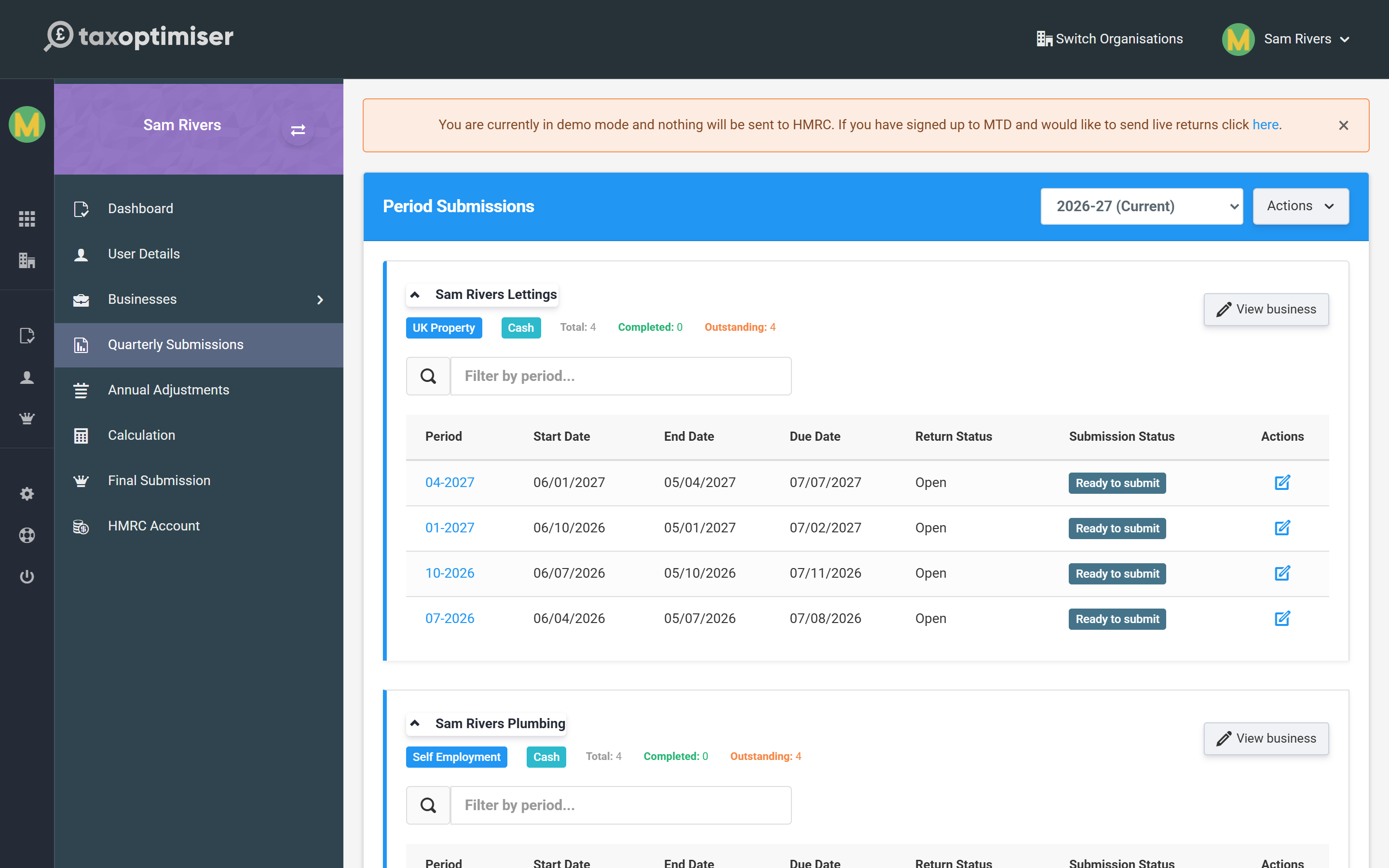
Filling a quarter
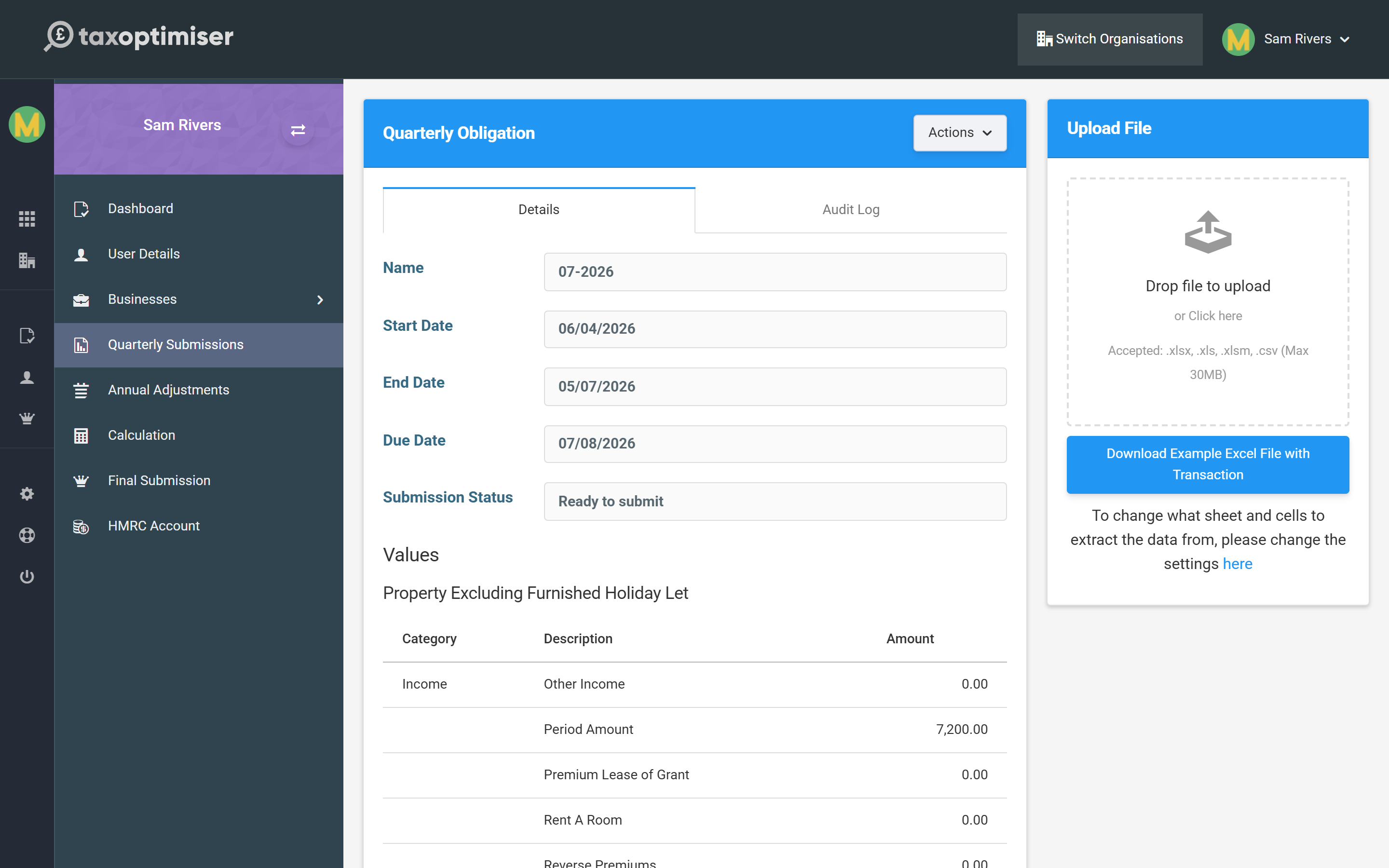
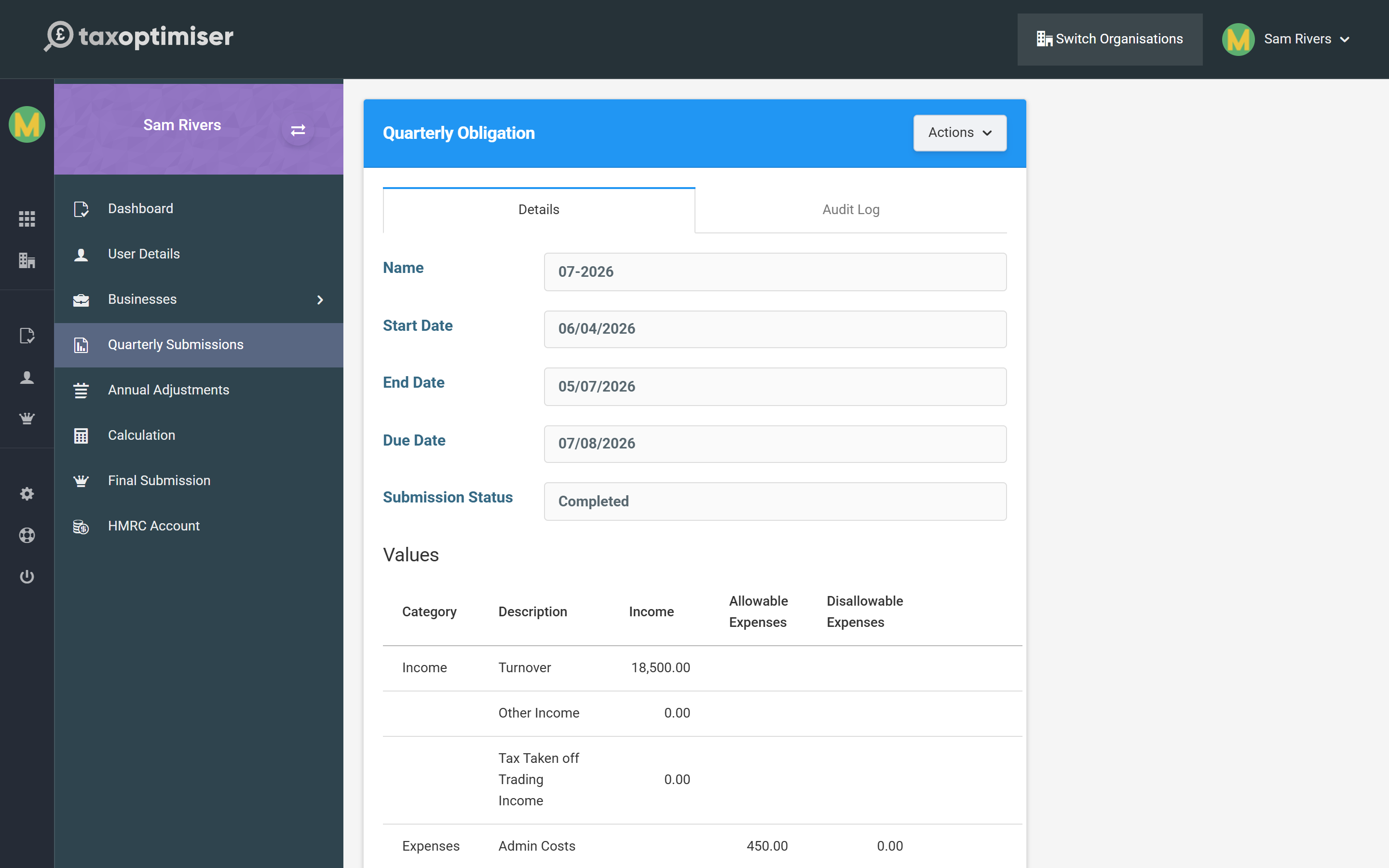
Open a quarter to see its Values — income at the top, then expenses split into allowable and disallowable. These come from the spreadsheet you upload (see Keeping digital records). Check them against your records before sending.
If the business reports consolidated expenses (see Business settings), the table shows a single Consolidated Expenses row instead of the category breakdown, with a banner reminding you of the £90,000 limit.
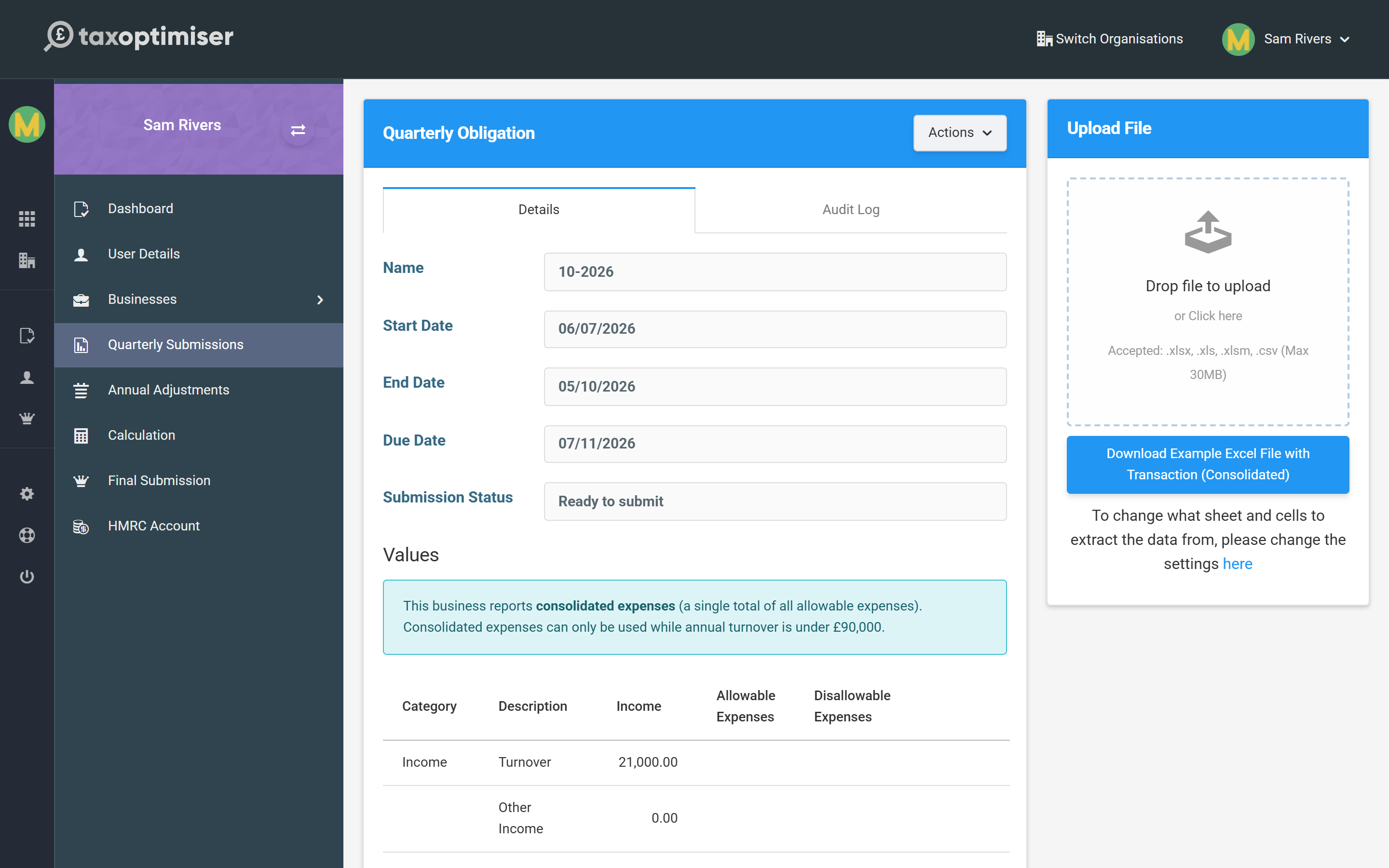
A consolidated quarter will not send once the year’s turnover reaches £90,000 — HMRC does not accept consolidated expenses above that. Tax Optimiser stops the submission with a clear message; switch the business to Full expense reporting in Settings and re-upload the quarter.
Sending it
When the figures are right, press Send Quarter. You confirm a short declaration — that the figures are accurate — and Tax Optimiser sends the update to HMRC.
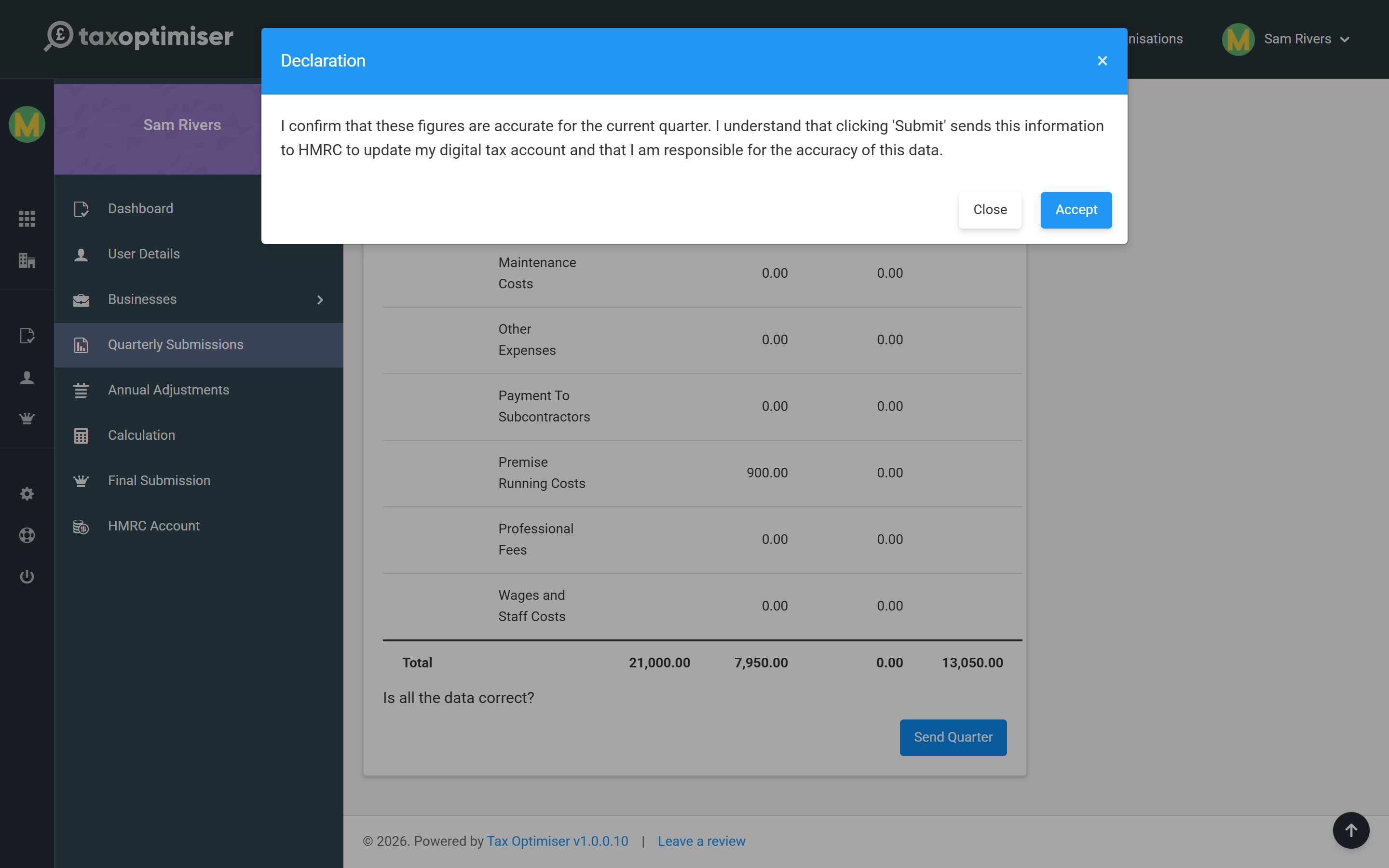
Each quarter’s figures are cumulative — you are sending the year-to-date total for that source, so a later update naturally supersedes an earlier one. Once accepted, the quarter shows as Completed.
Amending and audit
Made a mistake or had a late invoice? Re-open the quarter, update the figures and send again to amend it. The Audit Log tab keeps a record of every submission for that quarter, so you can always see what was sent and when.
Next: Annual adjustments.