
Everything downstream — the statutory accounts, the tax computation and the CT600 — is built from the period's trial balance, so this is the step to get right. Open your accounting period and choose Trial Balance from the left menu.
Four ways to bring figures in
When a period has no data yet you're offered four routes:
- Connect to Xero or Connect to QuickBooks — authorise once and your year-end trial balance syncs across, mapped to the statutory account headings.
- Import from spreadsheet — upload an Excel/CSV trial balance export from any other bookkeeping system. See Import a trial balance from a spreadsheet for the full walkthrough, including templates for Xero and Sage 50 exports and AI-assisted account mapping.
- Manual entry — type the figures straight into a structured grid. This is also where you review and adjust whatever you imported.
The manual entry grid
The grid is organised in the same groupings as the statutory accounts — Turnover, Other income, Cost of raw materials, Staff costs, Depreciation, Other charges, then the balance sheet headings. Each named account row has four columns: Debit and Credit for the current year, and Comp Debit/Comp Credit for the comparative year. Use the search box to jump to an account by name, and Hide Zero to collapse everything you haven't used.
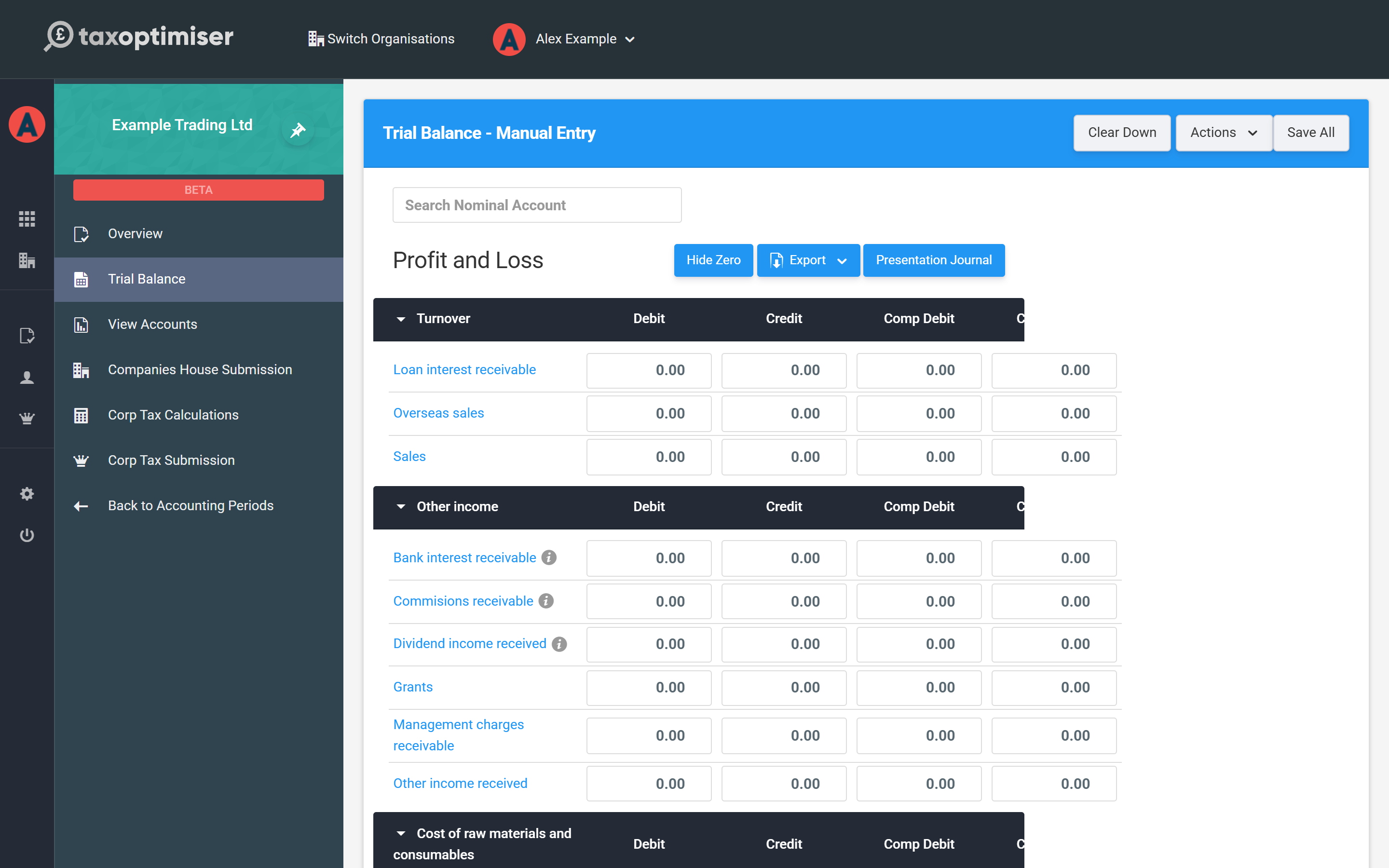
Enter each balance against the most specific account that matches — the account you pick drives both where the figure lands in the accounts and how the tax computation treats it. For example, Client Entertaining and Charitable Donations have their own rows so the tax side can pick them up later; depreciation belongs on the Depreciation rows with the matching balance-sheet movement under fixed assets.
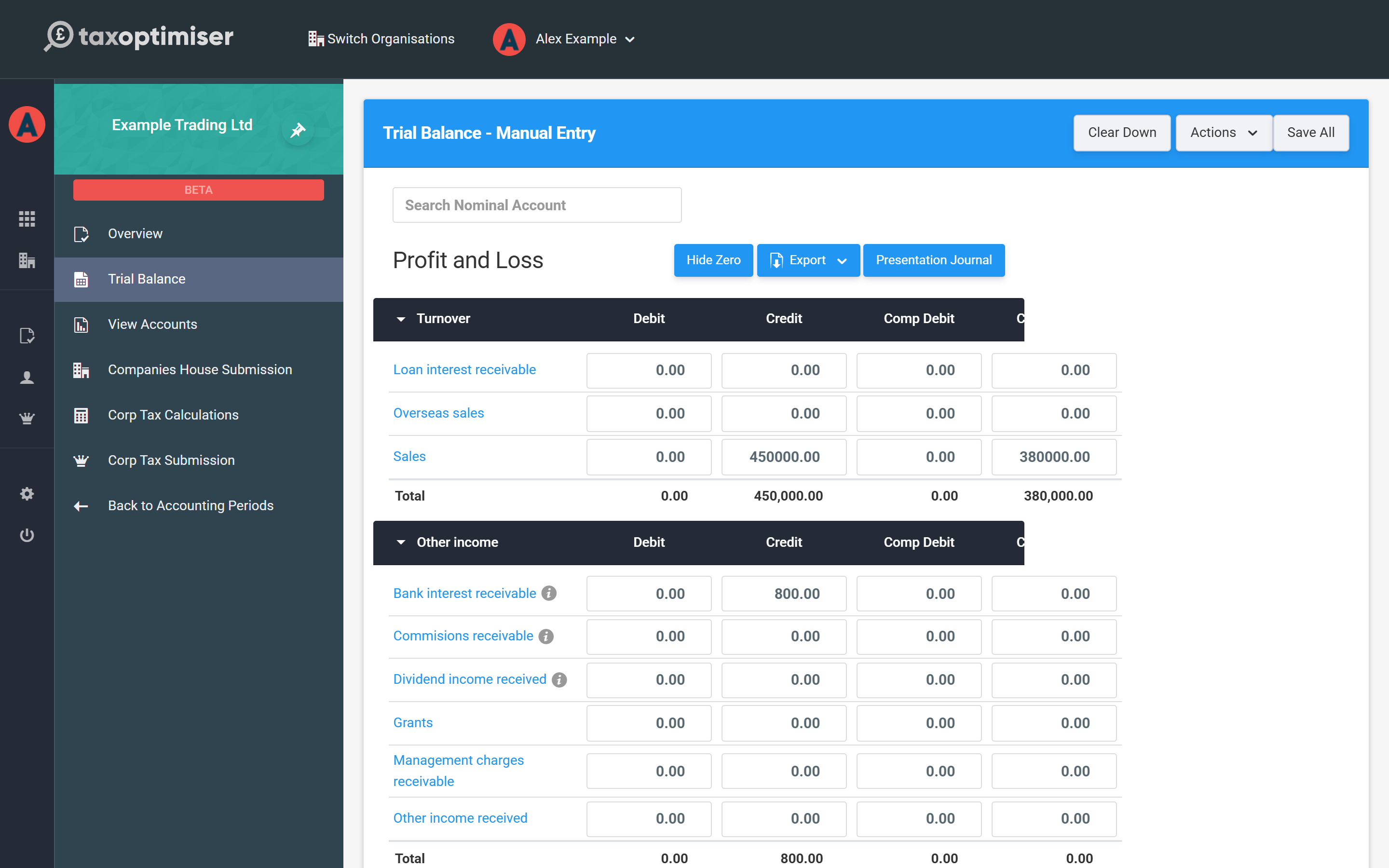
Debits and credits: a two-minute primer
If you've never kept books before, the Debit and Credit columns can look intimidating — but the idea behind them is simple. Every transaction has two sides: money comes from somewhere and goes to somewhere. Make a sale and cash arrives in the bank (one side) because a customer paid you (the other). Bookkeeping records both sides — that's all “double-entry” means — and the trial balance is simply the year-end total of every account, each balance sitting on its debit or credit side.
You don't need to reason it out from first principles — these conventions cover almost everything:
| Type of account | Examples | Normally a… |
|---|---|---|
| Sales and other income | Sales, bank interest received | Credit |
| Expenses | Rent, wages, insurance, accountancy fees | Debit |
| Assets — things the company owns or is owed | Bank balance, equipment, money owed by customers | Debit |
| Liabilities — what the company owes | Loans, unpaid supplier bills, tax due | Credit |
| Capital — the owners’ stake | Share capital, profits kept in the company | Credit |
A useful rule of thumb: income you've earned and amounts you owe go on the credit side; costs you've paid and things you own go on the debit side. And a balance on the “wrong” side isn't an error — it usually means something real: a bank account in the credit column is an overdraft, and a debit on a sales row is usually a refund.
How the P&L and balance sheet fit together
The grid's sections split into the same two statements your accounts will show:
- Profit and loss rows (Turnover down to Other charges) tell the story of the year: income minus expenses equals the year's profit.
- Balance sheet rows (fixed assets, debtors, bank, creditors, capital and reserves) are a snapshot of the last day of the year: what the company owns, minus what it owes, is what belongs to the owners.
One figure links the two: profit. The year's profit belongs to the owners, so it sits in the balance sheet as retained profit within capital and reserves — which is why assets minus liabilities always equals share capital plus retained profits. The profit and loss account simply explains how that retained profit changed during the year.
This is also why the trial balance must balance. Every transaction was recorded with equal debit and credit sides, so across the whole grid total debits always equal total credits. If they don't, nothing mysterious has happened — a figure has been missed, typed once instead of twice, or put on the wrong side, and the size of the difference is the clue to which one.
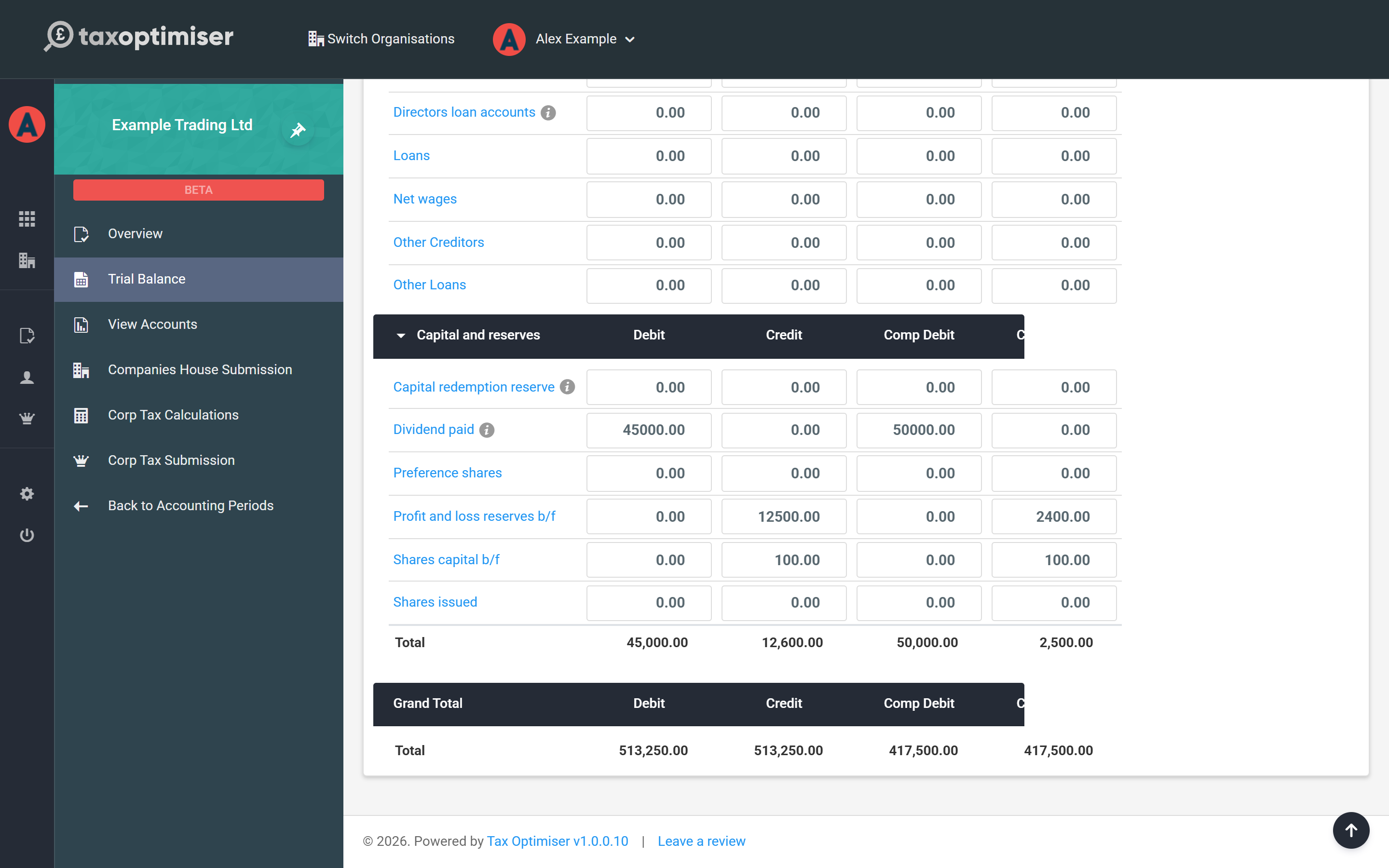
Check it balances
Every section shows a running total and the Grand Total at the bottom must show equal debits and credits for each year before you move on. If the two sides don't agree, work down the per-section totals to find the entry that's missing or on the wrong side. Save All stores the grid; the period Overview checklist ticks off Trial Balance once balanced data is present.
Journals
If you need year-end adjustments without changing the imported figures — accruals, prepayments, reclassifications — use the Journals area on the Trial Balance screen. A presentation journal adjusts the final trial balance while leaving the imported figures untouched, so you keep a clean audit trail back to your bookkeeping system.