
Tax Optimiser files your VAT returns to HMRC under Making Tax Digital as bridging software: you keep working in your own spreadsheet, and Tax Optimiser reads the nine VAT-return boxes from it and submits them digitally. Nothing about how you do your bookkeeping has to change. This guide walks the whole journey — this first article switches the service on and records your VAT registration number.
Enable the VAT service
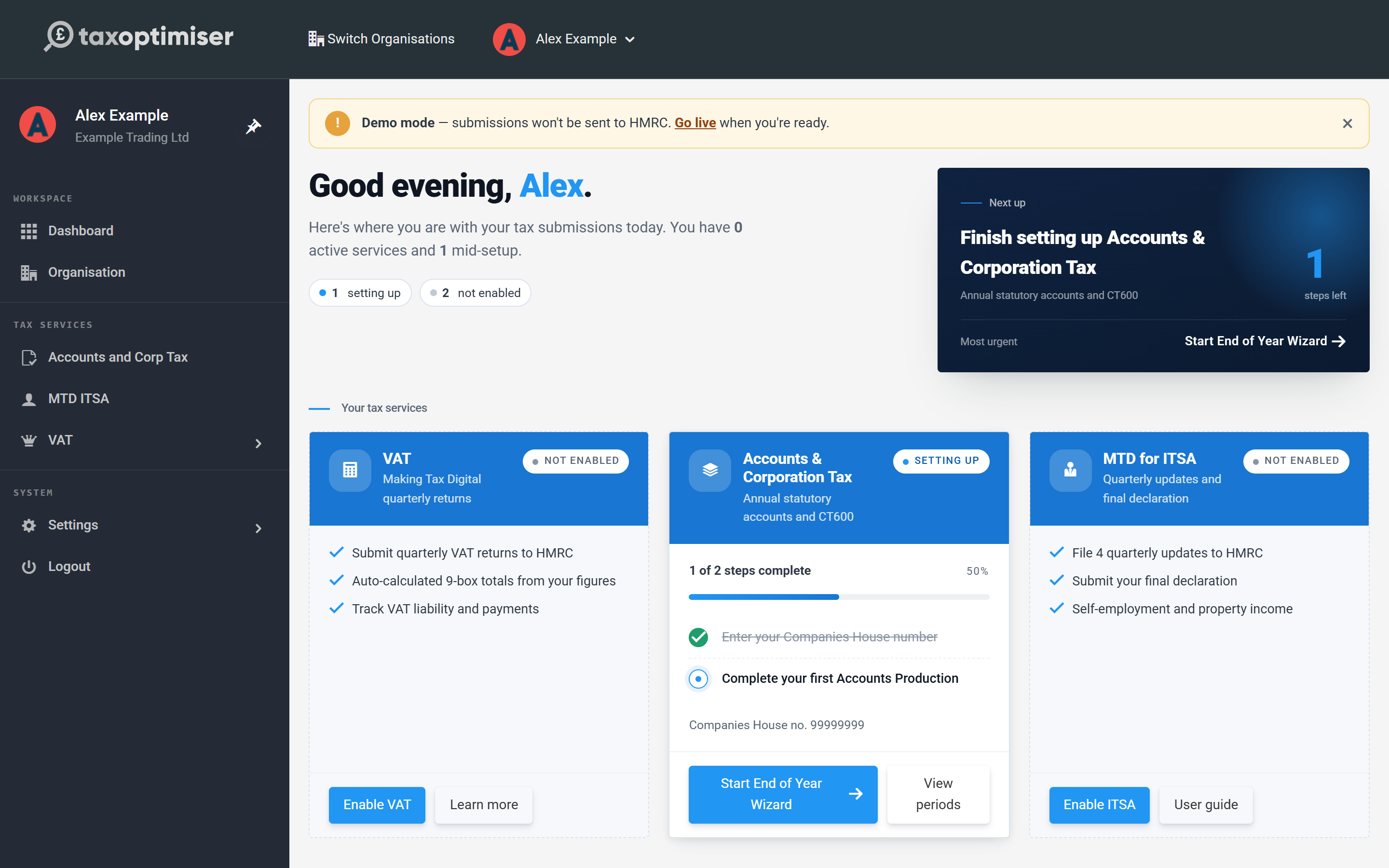
From your dashboard, find the VAT card under Your tax services and click Enable VAT. The service is free for your first year of submissions, so there is nothing to pay to get started.
Enter your VAT registration number
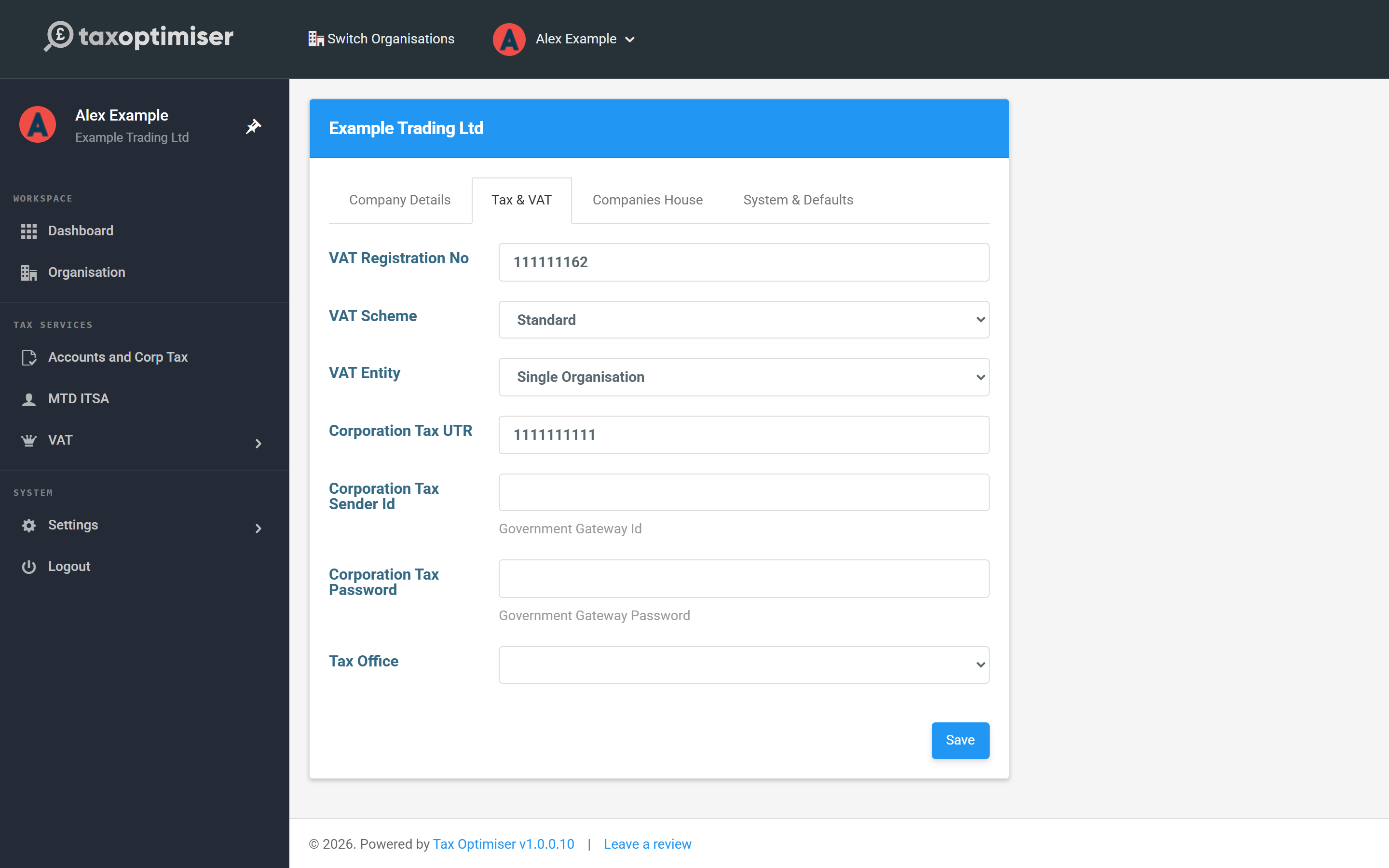
Go to Organisation → Tax & VAT and fill in your 9-digit VAT Registration No — it's on your VAT registration certificate and your HMRC business tax account. The same tab lets you record your VAT Scheme; most businesses are on Standard. Press Save.
Find your way around
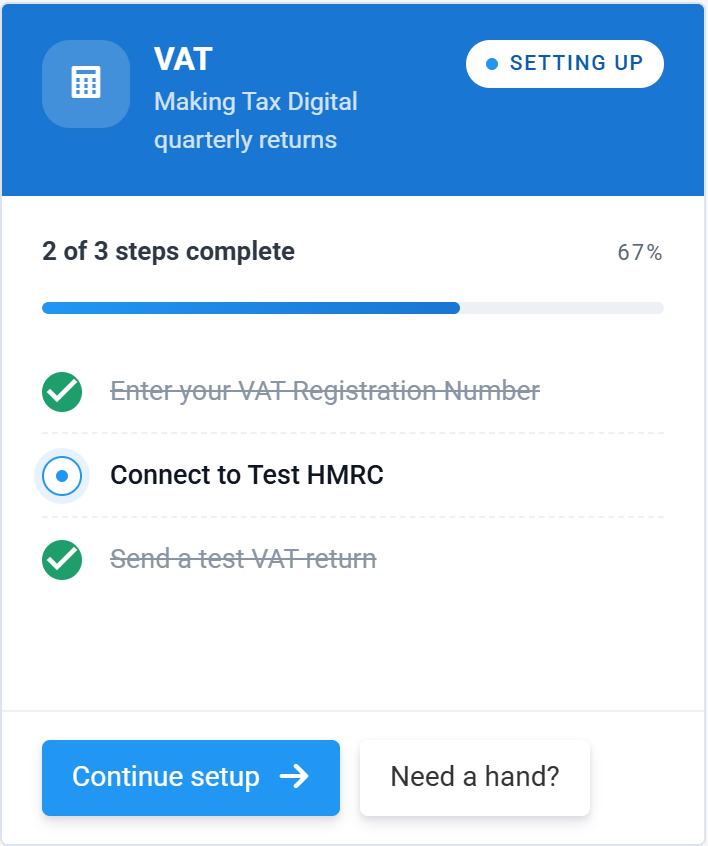
Everything VAT lives in the sidebar under VAT: VAT Returns is the list of your HMRC periods and where you submit from, and VAT Settings is where you tell Tax Optimiser how to read your spreadsheet. Once you are connected, the dashboard card tracks your setup steps and then shows your next return and its filing deadline.
Next: tell Tax Optimiser where your figures live — see Map your spreadsheet in VAT Settings.