
Because the traditional Self Assessment channel has no HMRC calculation service, Tax Optimiser computes the full tax position itself — recalculated on every save, so the Calculation (SA302) section and the Total Tax Due card are never stale.
Reading the calculation
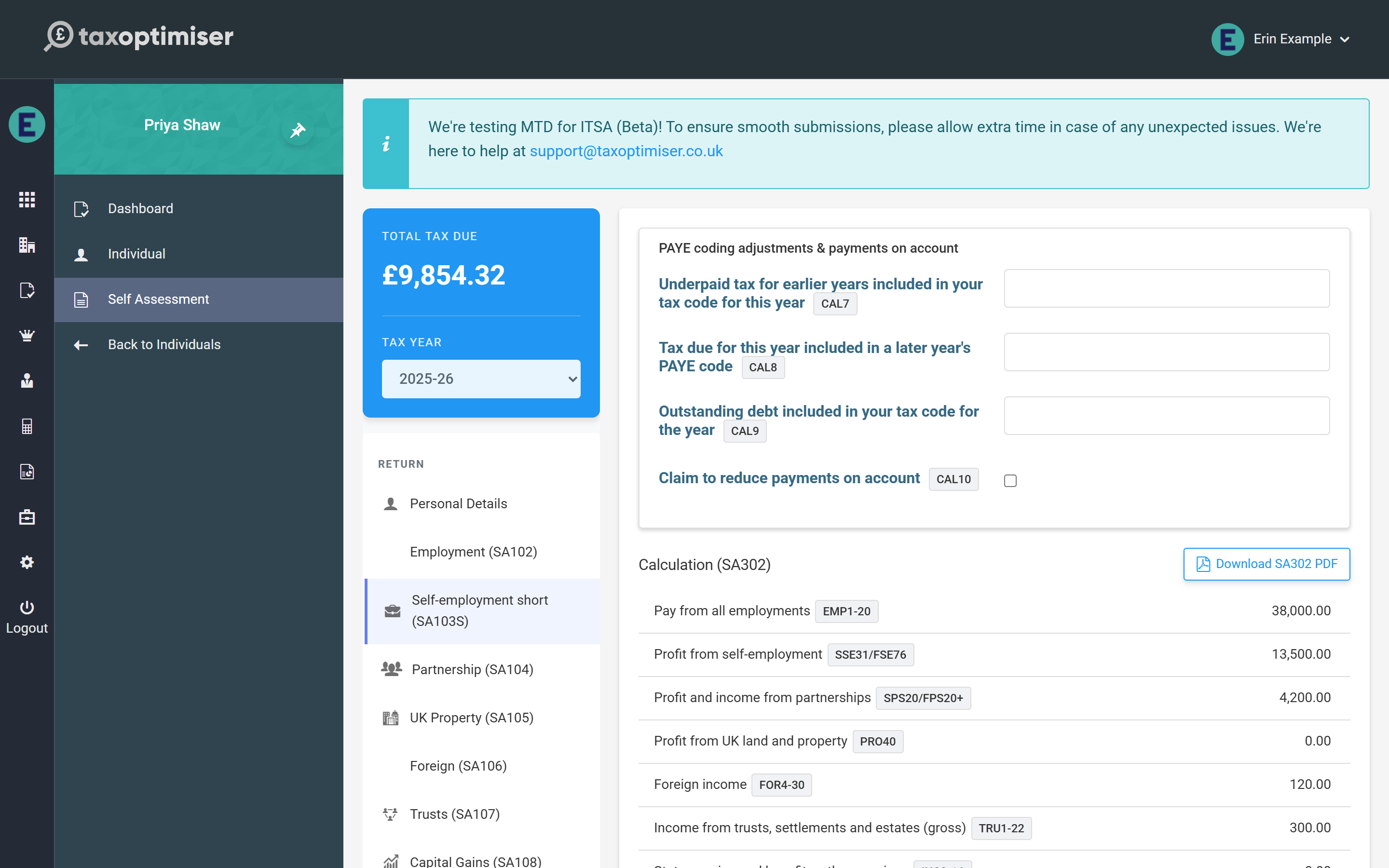
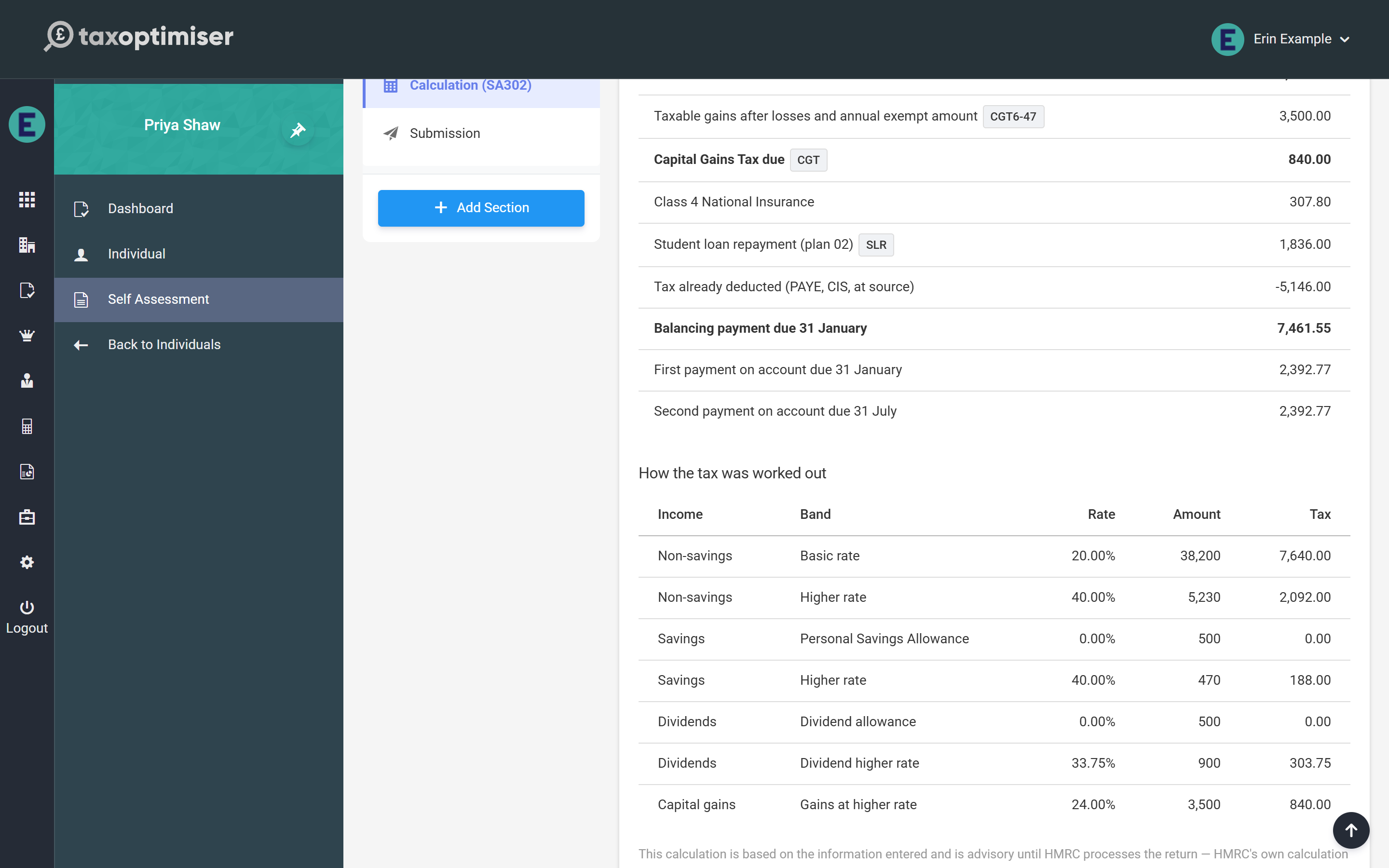
The statement follows the same staged shape as HMRC’s SA302: income by type, deductions and the Personal Allowance (with the £100,000 taper where it applies), Income Tax, Capital Gains Tax where the SA108 page is in use, Class 4 and Class 2 National Insurance, student loan repayments, tax already deducted at source (PAYE, CIS, taxed interest, trust credits), and finally the balancing payment and any payments on account for the following year with their due dates. Capital Gains Tax joins the balancing payment but never the payments on account.
PAYE coding adjustments and reducing payments on account
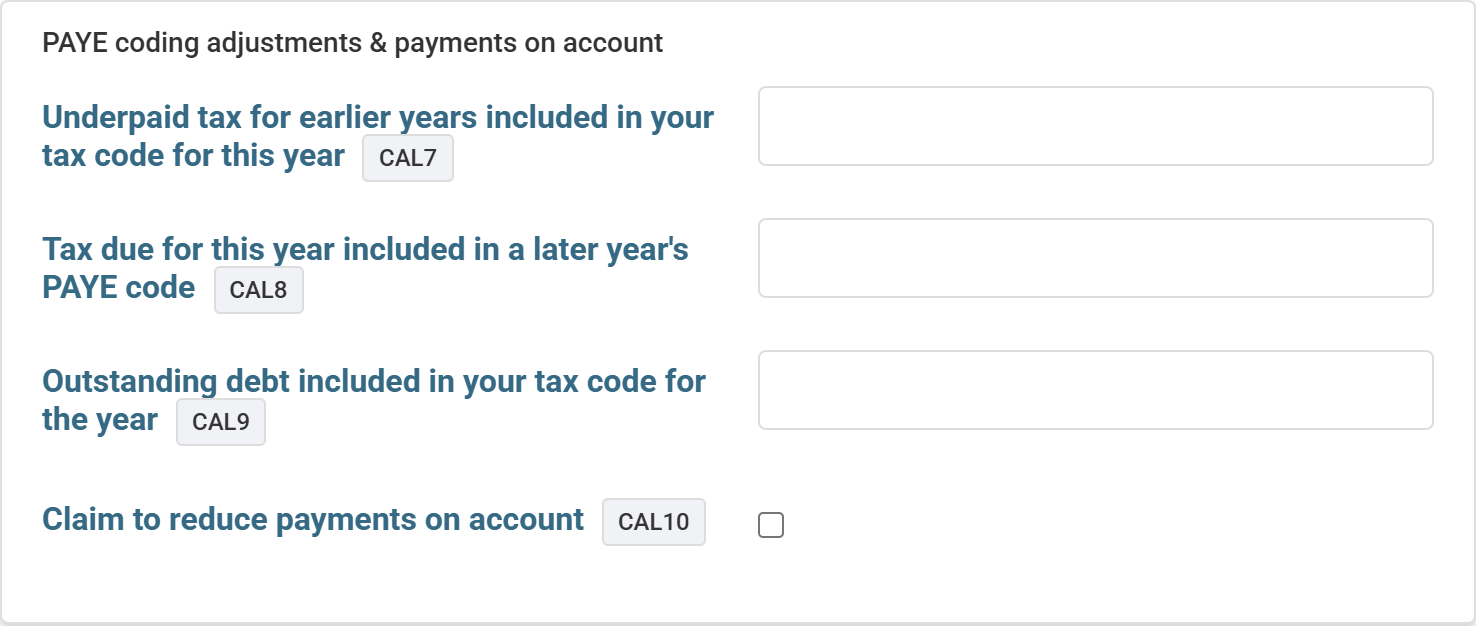
The card at the top of the Calculation section carries the SA110 boxes that adjust what is actually payable:
- Underpaid tax for earlier years in this year’s code and outstanding debt in the code — these add to the balancing payment, because that slice of the year’s PAYE was collecting old amounts, not this year’s tax. Take both from the client’s PAYE coding notice.
- Tax due for this year included in a later year’s code — this defers, reducing the balancing payment (it can bring it to zero but never create a repayment).
- Claim to reduce payments on account — tick the claim and enter the reduced first payment where next year’s income will be lower. The claim can only reduce: an amount at or above the calculated figure is ignored, with a note saying so.
How the tax was worked out
Below the statement, the band breakdown shows every slice of income against the band and rate that taxed it — including the 0% slices (Personal Savings Allowance, dividend allowance, savings starting rate) and any band extension from Gift Aid or pension contributions. Scottish taxpayers see the Scottish bands on non-savings income, with savings and dividends staying on UK-wide bands, exactly as HMRC applies them.
Warnings: informational and blocking
The calculation flags anything it wants you to know about. Informational notes explain a treatment (for example how a state pension lump sum was taxed). Blocking warnings, shown in red, mean the return cannot be filed online through Tax Optimiser — typically because it needs a page the beta does not yet support. A blocked return fails the pre-flight checks on the Submission screen, so nothing incomplete can reach HMRC by accident.
The SA302 PDF
Download SA302 PDF produces the tax-calculation document clients are asked for by mortgage lenders: the full statement, the band breakdown and the payments on account, over the client’s name and UTR. The PDF is recalculated from the saved figures at the moment you download it, and carries a draft banner until HMRC has accepted the return. As with any software calculation, it is advisory until HMRC processes the return — HMRC’s own figure is definitive.